


DefenderShield
iPhone 14 EMF Blocking Wallet Case with 5G Radiation Protection
Regular price
$31.99 USD
Regular price
$83.99 USD
Sale price
$31.99 USD
Unit price
per
In stock
Shipping calculated at checkout.
Ultra Armor+® Shielding
Maximum Protection for ELF + RF Frequencies
- Frequency Range ELF + RF (60 Hz - 2.5 THz)
- Performance Maximum Protection
- Flexibility Rigid
- Best Application Everyday use of your phone, laptop, or tablet close by or on your body. Perfect if you use your laptop directly on your lap, or if you talk with your phone by your head or store it in your pocket (or in bra straps and waist bands!) for a few hours or more each day.
Good to know
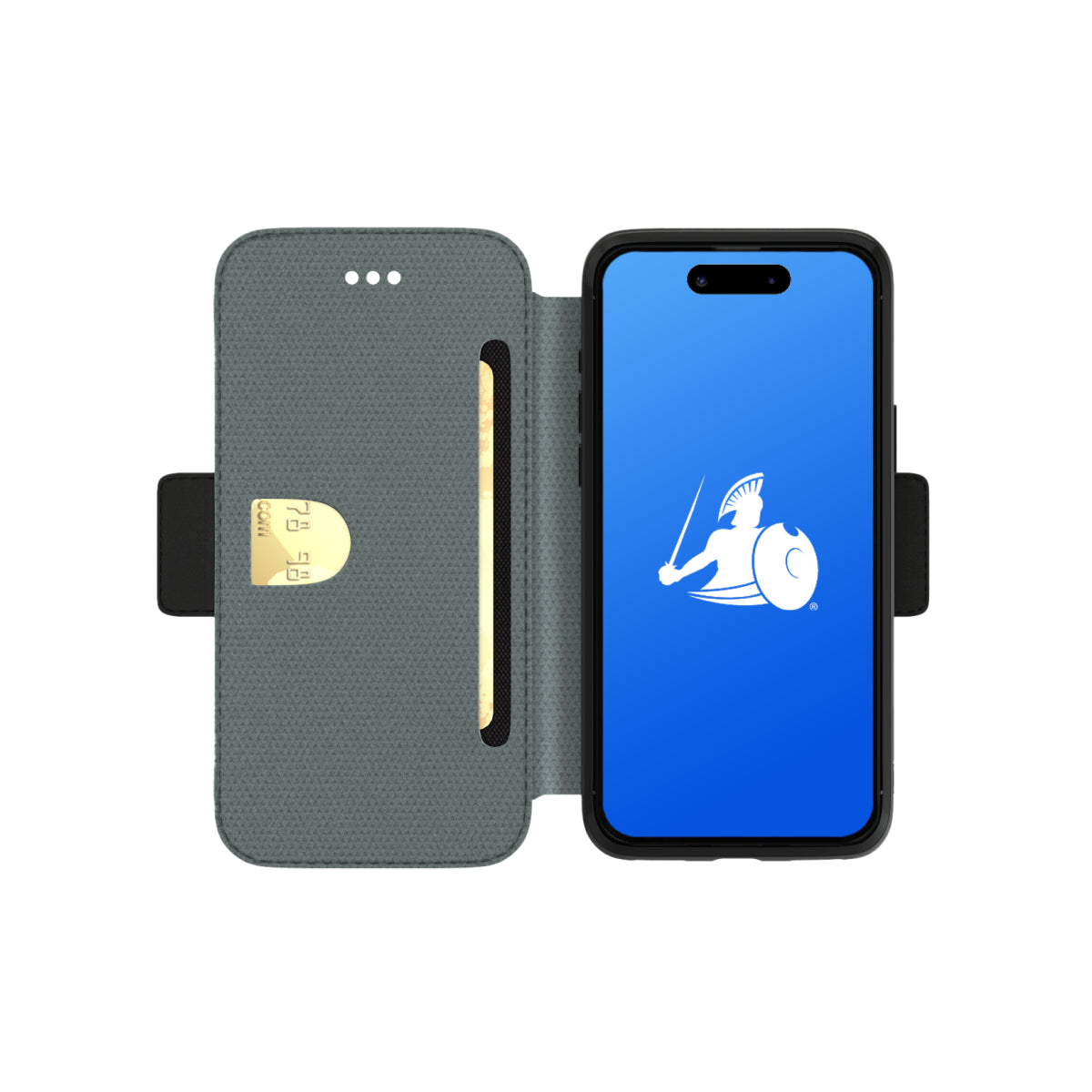
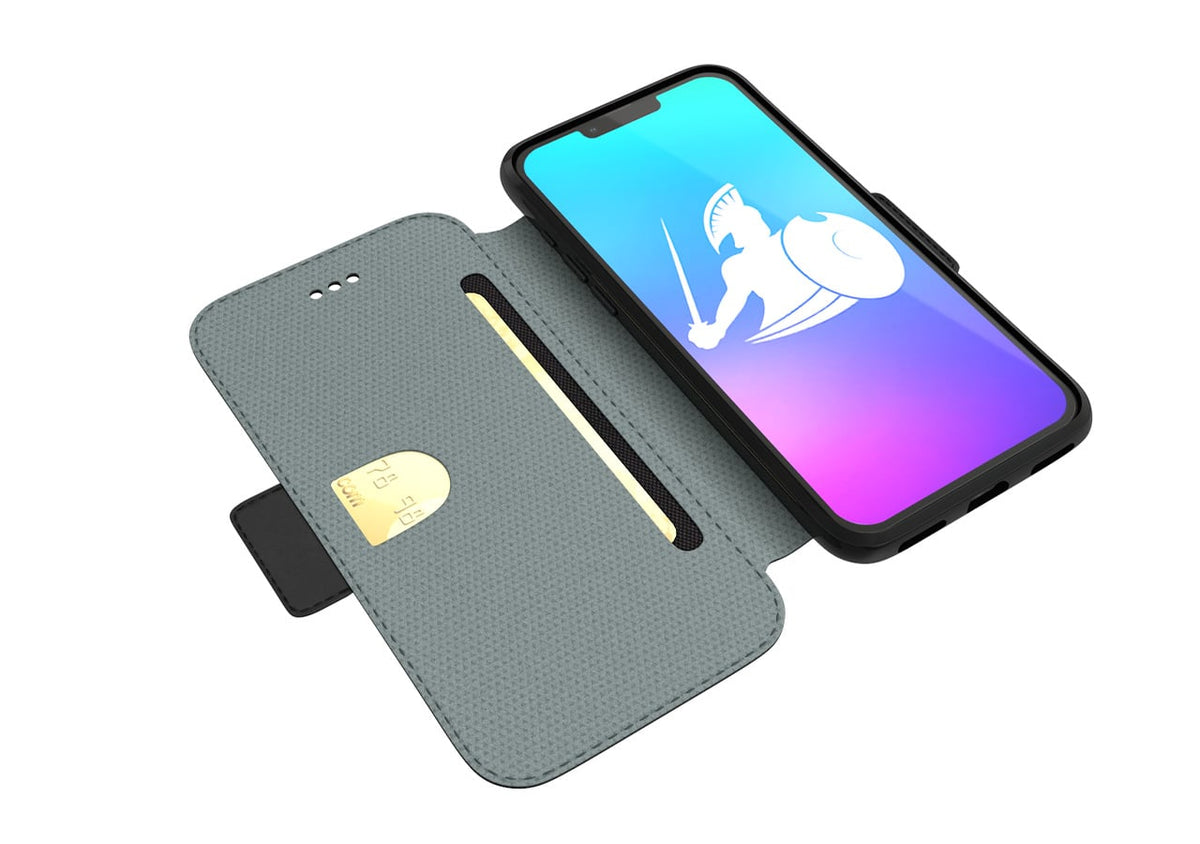
Two styles are available on this page. The Magnetic Wallet Case fits all four iPhone 14 models. The SlimFlip fits iPhone 14 and iPhone 14 Pro Max only — it is not manufactured for iPhone 14 Pro or iPhone 14 Plus. Both use identical Ultra Armor+® shielding in the front cover. For the shielding to work, the cover must be positioned between your body and the phone.


COMPARE OPTIONS
DefenderShield iPhone 14 Case vs. The Alternatives
A side-by-side look at both DefenderShield styles and the generic alternatives — so you can see exactly what each option offers in shielding, features, and long-term value.
| Feature | DefenderShield Magnetic Wallet | DefenderShield SlimFlip | Generic EMF Phone Case | Standard Phone Case |
|---|---|---|---|---|
| EMF shielding | Up to 99% (60 Hz - 2.5 THz, RF + ELF) | Same shielding | Varies — often RF only, limited frequency range, no ELF shielding | None |
| 5G (all bands) | Verified | Verified | Typically low-band only | No |
| ELF battery shielding | Ultra Armor+® | Ultra Armor+® | Most skip ELF | No |
| FCC-accredited lab testing | Published | Published | Rarely | N/A |
| RFID card slots | 3 slots that hold up to 9 cards without stretching out | 1 slot that holds up to 3 cards | Varies — often no or bad quality card slots that stretch out | None |
| Detachable nesting | Magnetic | Fixed design | Fixed | Varies |
| Wrist strap | Included | Not included | Varies | Varies |
| Landscape stand | Built in | Built in | Varies | Varies |
| Profile | Full wallet | Slim / pocket-friendly | Varies | Slim |
| Medical Advisory Board | Full board | Full board | No | No |
| Warranty | 1 year | 1 year | 30–90 days | 30–90 days |
| Returns | 30-day full refund | 30-day full refund | Varies | Varies |
| Price | $83.99 | $83.99 | $30–$80 | $15–$60 |
| Best for | Cards, wristlet, car mount + EMF shielding | Pocket-first EMF protection | Entry-level RF reduction | Physical protection only |
FREQUENTLY ASKED QUESTIONS
iPhone 14 EMF Blocking Wallet Case with 5G Radiation Protection FAQ
COMPLETE YOUR EMF PROTECTION
Customers Who Bought This Also Ordered
-
Magnetic Car Phone Holder – Air Vent Mount w/ 360° Rotation
Regular price $15.99 USDRegular priceUnit price per$15.99 USDSale price $15.99 USD -
EMF Radiation-Free Earbuds Air Tube Stereo Headphones
Regular price From $87.99 USDRegular priceUnit price per -
DefenderPad® Laptop EMF Radiation + Heat Shield — Full-Spectrum Shielding with Thermal Barrier
Regular price From $104.99 USDRegular priceUnit price per -
EMF Protection Anti-Radiation Blanket
Regular price From $164.99 USDRegular priceUnit price per$409.99 USDSale price From $164.99 USDSale


Phone Cases Reviews and Testimonials
Designed by a Telecom Engineer.
DefenderShield was founded by Daniel T. DeBaun, a 30-year veteran of the telecommunications industry. Every product is engineered using shielding principles from military and industrial EMF protection, adapted for consumer devices.
LEARN MORE
Research & Guides About EMF Protection
Educational resources about EMF radiation, shielding science, and practical tips for reducing your daily exposure.
-

New 2025 Study Shows Cell Phone Radiation May Affect Early Brain Development
A significant study published by Bilal Cakir in Cell Reports (2025) provides new biological evidence on how electromagnetic fields (EMFs) from wireless communication devices may impact...
-

Top 10 Reasons Your Cell Phone May Be Bad For You & The Planet
In our modern lives, cell phones and other devices have become irreplaceable. Fifty-three percent of children now own a smartphone by age eleven. Eighty-four percent of...
-

Top 3 Areas of Your Body Most Vulnerable to EMF Radiation
Think back to the last time you spoke on your cell phone for more than a few minutes. If you didn’t use hands-free headphones or put...


