


DefenderShield
Universal Cell Phone Case Replacement Magnets
Regular price
$4.99 USD
Regular price
Sale price
$4.99 USD
Unit price
per
Shipping calculated at checkout.

Phone Magnets FAQ
Universal Cell Phone Case Replacement Magnets
When do I need replacement plates?
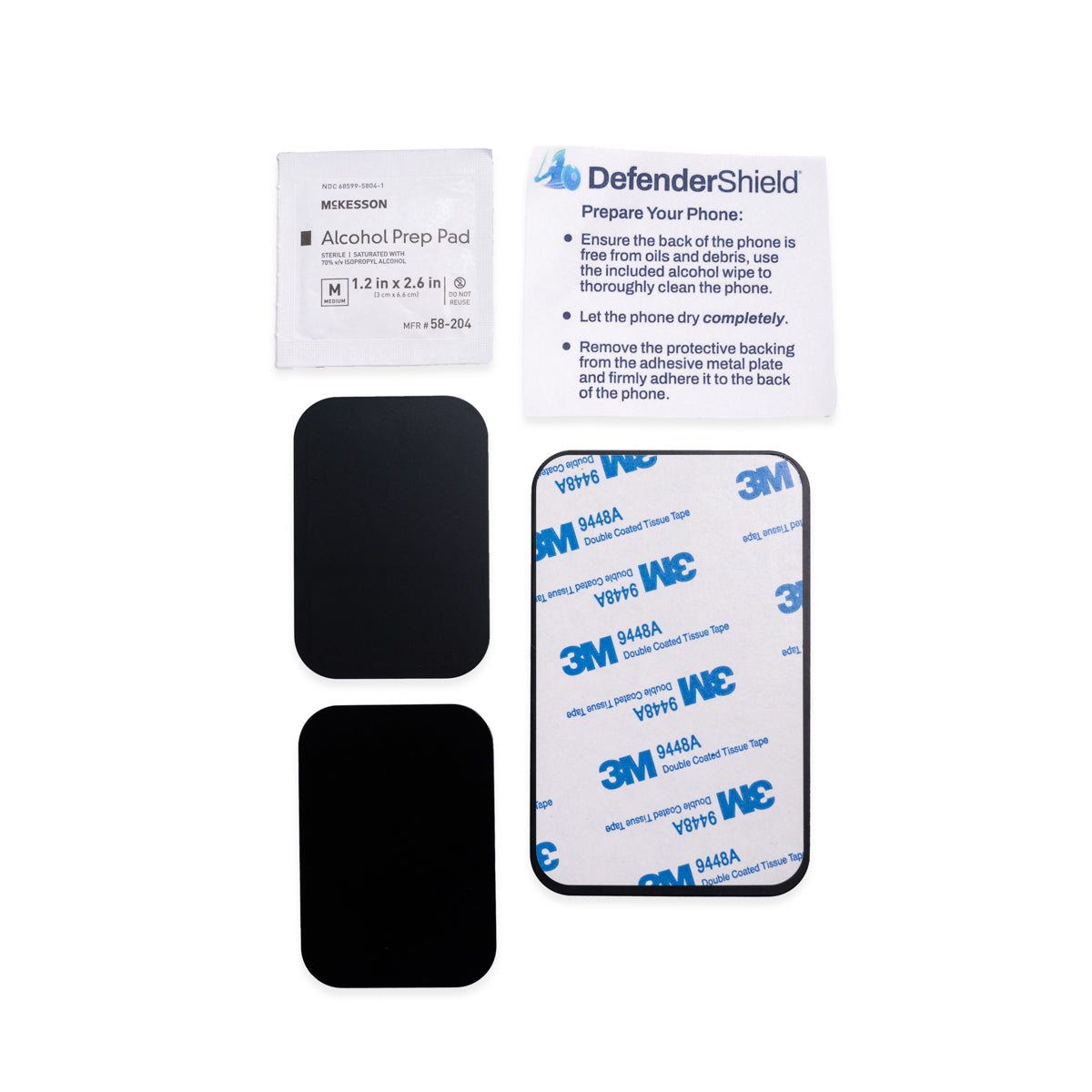
When the original adhesive loses its grip, or when you switch phones. Over time, adhesive can weaken from heat, repeated removal, or contact with oils and moisture. If the plate no longer holds your phone firmly to the wallet cover or car mount, a fresh plate restores the magnetic connection.
Should I use the large plate or the two small ones?
It depends on your camera placement. If the camera lens is near the top or corner of the phone, the single large plate covers most of the back without obstruction. If the camera lens sits in the center of the back, the two smaller plates can be placed on either side of the lens to avoid covering it.
Can I stick the plate directly to my phone?
Yes, but we recommend a phone case instead. The 3M adhesive holds firmly. If applied directly to the phone’s glass or metal back, removing the plate later may damage the finish of your phone. Sticking it to a slim phone case (not included) gives you the same magnetic grip with easier removal if you ever need to switch cases or phones.
Which DefenderShield products do these work with?
The Universal Phone Wallet Case Cover, which uses a magnetic connection to hold your phone inside the wallet case. The adhesive metal plate gives your phone that magnetic surface. If you own a DefenderShield Detachable iPhone Magnetic Wallet Case (for select iPhone models), you do not need these plates — the magnetic nesting specific to your iPhone model comes with the Wallet Cover.
Complete Your EMF Protection Setup
-
EMF Radiation-Free Earbuds Air Tube Stereo Headphones
Regular price From $79.99 USDRegular priceUnit price per -
EMF Radiation-Free Air Tube Over-Ear Headphones
Regular price $195.99 USDRegular priceUnit price per -
iPhone 16 EMF Blocking Wallet Case with 5G Radiation Protection
Regular price From $79.99 USDRegular priceUnit price per$83.99 USDSale price From $79.99 USDSale -
DefenderPad Laptop EMF Radiation + Heat Shield
Regular price From $104.99 USDRegular priceUnit price per$154.99 USDSale price From $104.99 USDSale


